A Practice System That Survives Real Life
Quick note—Obsidian is a notes app that saves everything as plain Markdown. If you’re curious, check out obsidian.md.
Most practice advice assumes you have unlimited time and a quiet calendar. I don’t.
Between my data engineering job, family, kids, gigs, and teaching, I needed something that keeps practice focused without turning it into another job. A typical week isn’t “practice every day for two hours”, it’s more like one good day, two chaotic ones, then rushing to prepare the next concert. The system has to survive that.
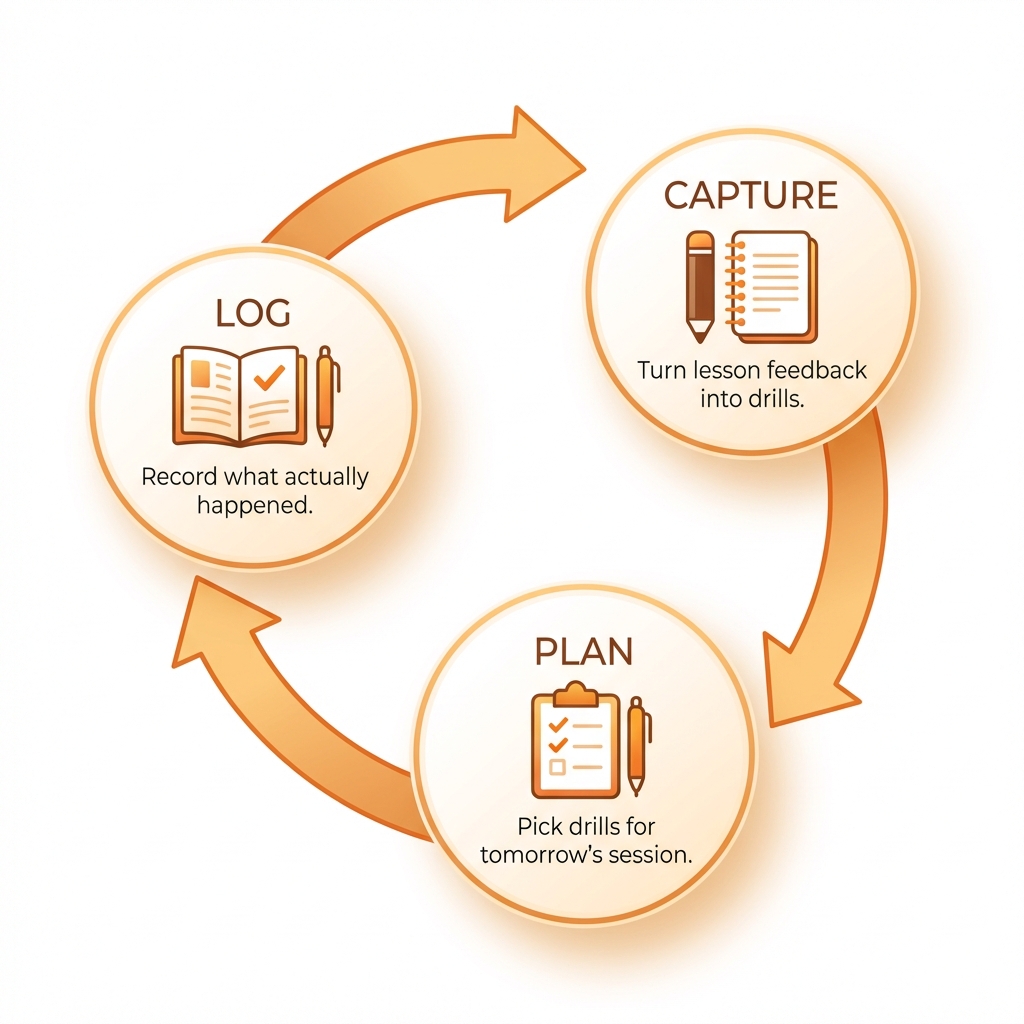
What I ended up building in Obsidian is simple. Lesson notes become a plan, the plan becomes one daily checkbox, and each session leaves a short trail I can pick up tomorrow.
My method involves three steps:
- Capturing feedback as early as possible, because I’ll forget half of it by tomorrow. During each lesson, I take as many notes as I can. Then I turn them into drills. These become my baseline until the next lesson.
- Before each practice session, I make a short plan, because I can’t realistically go through every single drill I have, so I prioritize smaller chunks of work.
- After practice, I log what actually happened. The whole point is to keep the “what should I do next?” question out of the practice room.
Capturing feedback as early as possible and writing the drills
Each lesson gets its own note. Instead of writing vague feedback, I turn teacher comments into explicit, testable drills—bar ranges, tempo targets, musical goals. Those drills become the raw material for the next practice plan.
Planning the practice session
The day before, I create a short Practice Plan note with:
- How much time I have
- One or two priority pieces
- The specific drills I’ll work on
- What I expect to achieve
A plan might look like 120 minutes across two pieces, drilling left-hand fingering changes, rhythmic control in 6/8, and pushing a triplet passage from 70 to 80 bpm.
This isn’t a diary. It’s just a decision made in advance so I don’t spend the first 15 minutes negotiating with myself—or the whole afternoon procrastinating.
Logging the practice session
After practicing, I fill in a Practice Note. I keep the format consistent:
- Total minutes
- Which pieces I worked on
- Drills with section, tempo, and result
- Observations and issues to carry forward
One recent session logged three pieces and 180 minutes of work, noting which passages were clean at target tempo and which still needed attention. That detail makes tomorrow’s session faster because I’m not guessing where I left off.
The real value, though, is the self-reflection. Over time you start to notice patterns, and your internal assessment gets sharper. That makes the whole loop tighter.
Where AI helps
Because my notes follow a consistent structure, I can use AI to handle two annoying parts:
- Drafting the plan from recent lessons and logs (e.g., “Bars 199–202 LH fingering at 50→60 bpm”)
- Summarizing the last session so I can pick up where I left off
It keeps the system lightweight, even when I only have 35 minutes and my head is already full.
Wrapping up
I’ve been using this for three months now. Some weeks I still skip days, or show up less prepared for the next lesson than I would have liked. But when I sit down to practice, I know exactly what to work on. And when life gets messy, at least I have a note telling me where I left off. Lastly, there’s a thin line between a practice system and a productivity system, and I’m trying to stay on the self-tolerant side of it, because life happens, and that’s okay.